Turn customer files into print-ready art, fast
Background removal, vectorising, AI upscaling and DTF gang sheets — one focused desktop app built for print shops and sign makers who are tired of fighting clunky, general-purpose design software.
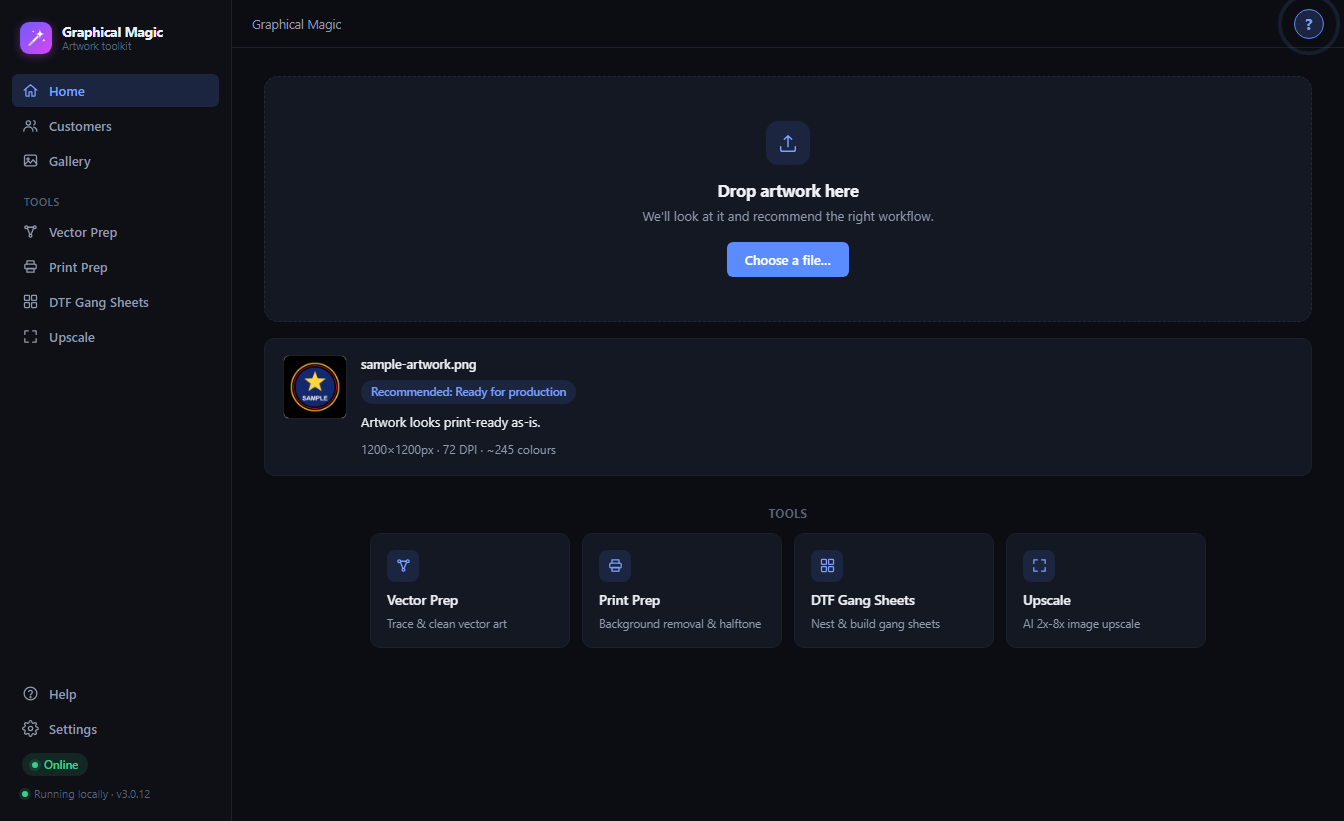
Four tools. One workflow.
The main steps from "customer sent me a blurry JPEG" to "file's ready for the press" — without switching apps.
Clean backgrounds without touching a lasso tool
Drop in a photo or logo and let smart edge detection or the local AI model pull the subject out cleanly — including tricky enclosed gaps like the inside of letters.
- Smart edge, colour-key or AI extraction modes
- Hole removal for trapped background pixels
- Halftone, colour reduction & garment preview built in
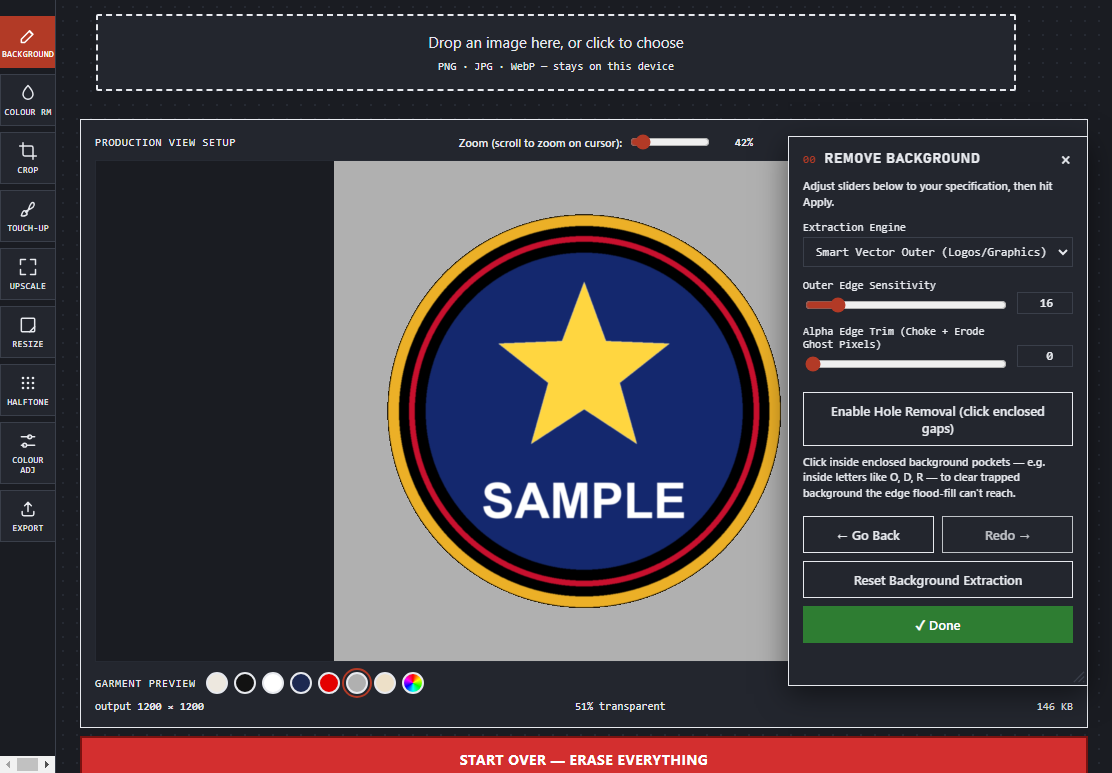
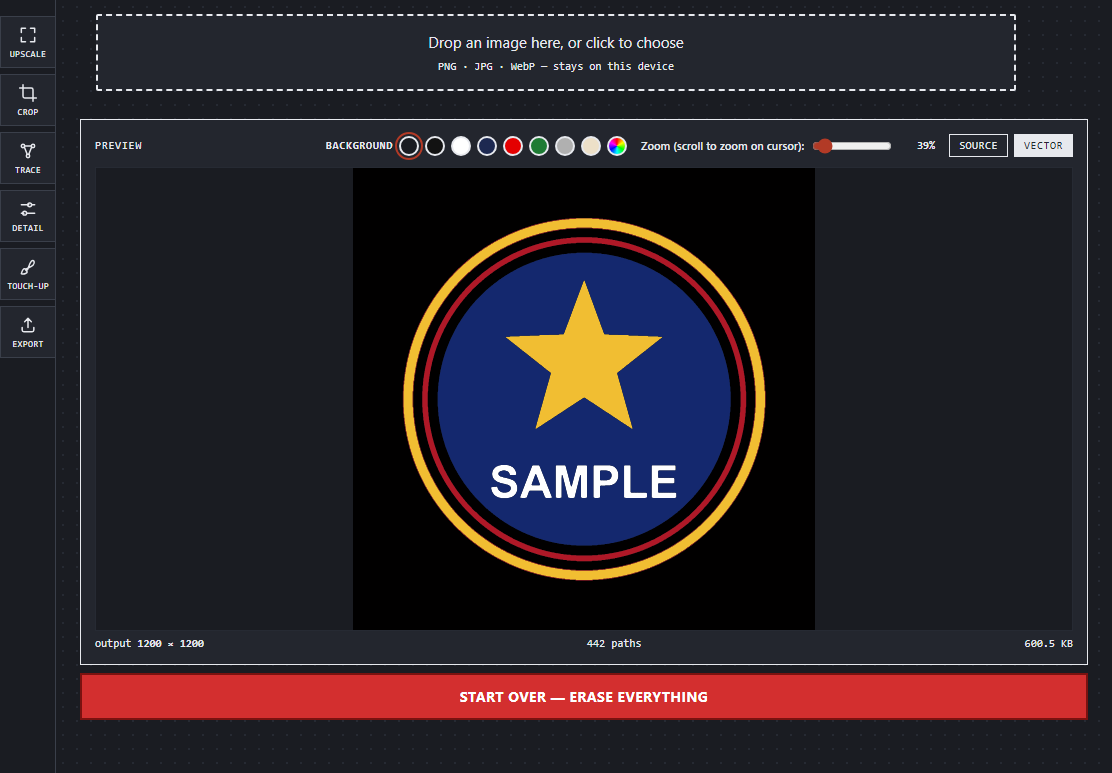
Photo to crisp vector, without the guesswork
Trace raster artwork into clean, editable paths, then fine-tune detail and touch up stray pixels — all inside a guided, step-by-step panel.
- Upscale → Crop → Trace → Detail → Touch-up → Export
- Live source/vector comparison as you tune
- Export straight to clean, scalable SVG
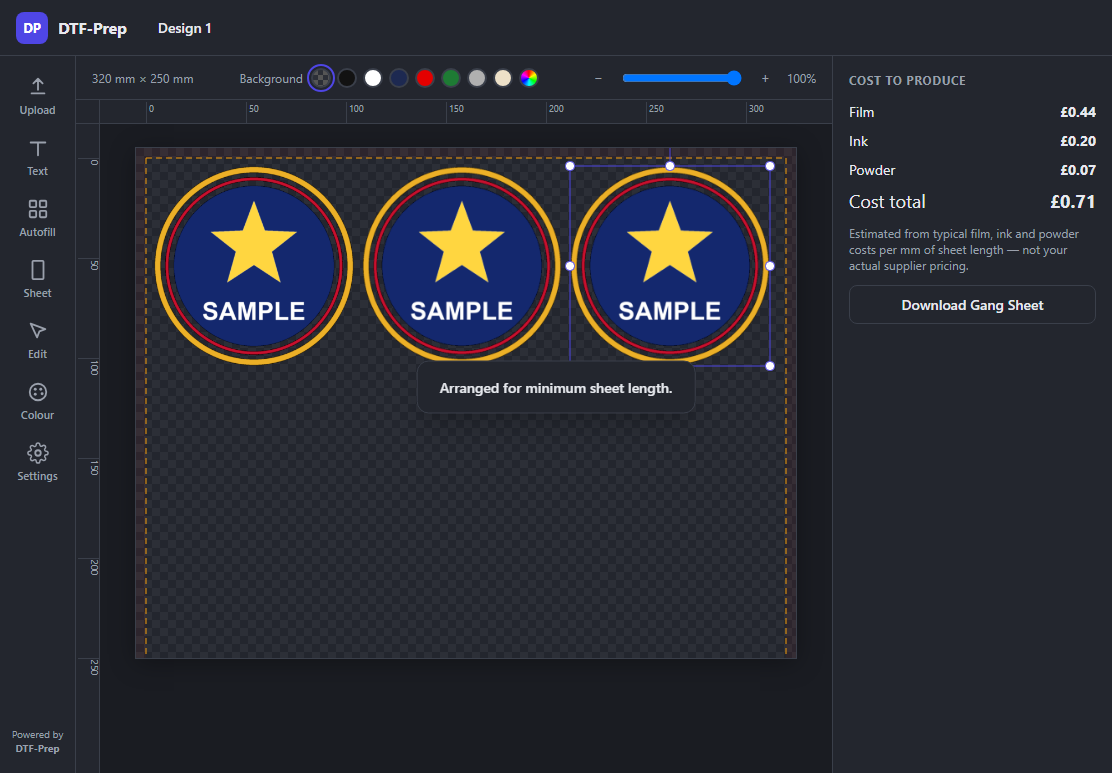
Nest designs and know your cost before you print
Autofill your sheet, drag to arrange, and see film, ink and powder cost estimates update live — so nothing goes to press until the numbers make sense.
- Auto-arrange for minimum sheet length
- Live cost-to-produce breakdown
- Text, colour and sheet-size controls in one place
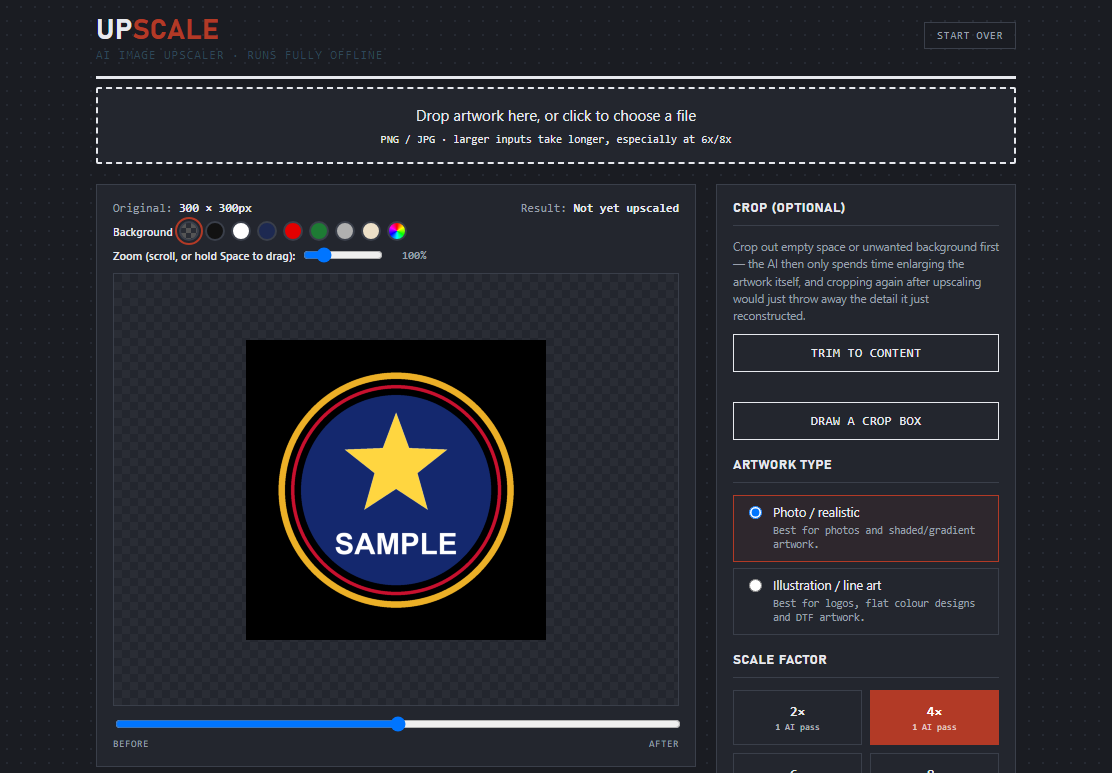
Rescue low-res artwork with local AI
Blow up a pixelated logo up to 8x without leaving your desktop. Pick photo or illustration mode, crop first to save time, and compare before/after with a live slider.
- 2x, 4x, 6x and 8x scale factors
- Photo/realistic vs. illustration/line-art modes
- Runs fully offline — nothing leaves your PC
Small details, sorted
The unglamorous stuff that makes a tool trustworthy for daily production use.
Undo / redo
Step back and forward through your edits with undo and redo. Start Over wipes the whole job clean, so save it for when you want a completely fresh start.
Guided step-by-step panels
A clear "Next Step" path through every tool, so nothing gets missed on a rushed job.
Private by design
No cloud round-trips for your customers' artwork. Processing happens on your machine.
Handles real customer files
Open PNG, JPG and WebP files, preview your artwork on different garment colours, then export it as a PNG or SVG.
Customer directories & galleries
Keep every customer's artwork history and finished jobs organised in one place, right alongside the tools you prep them with.
Fast, focused tools
No bloated suite to learn — each tool does one job well and gets out of your way.
Built with print shops
Shaped by real feedback from print and DTF production, not designed in a vacuum.
Your customers' artwork stays on your PC
Graphical Magic's core tools run locally — no upload, no server round-trip, no waiting on someone else's queue.
Get Graphical Magic
Download it from the Microsoft Store and start with a free trial. If it earns a place in your workflow, buy it right there in the app — no subscription, no account to create.